
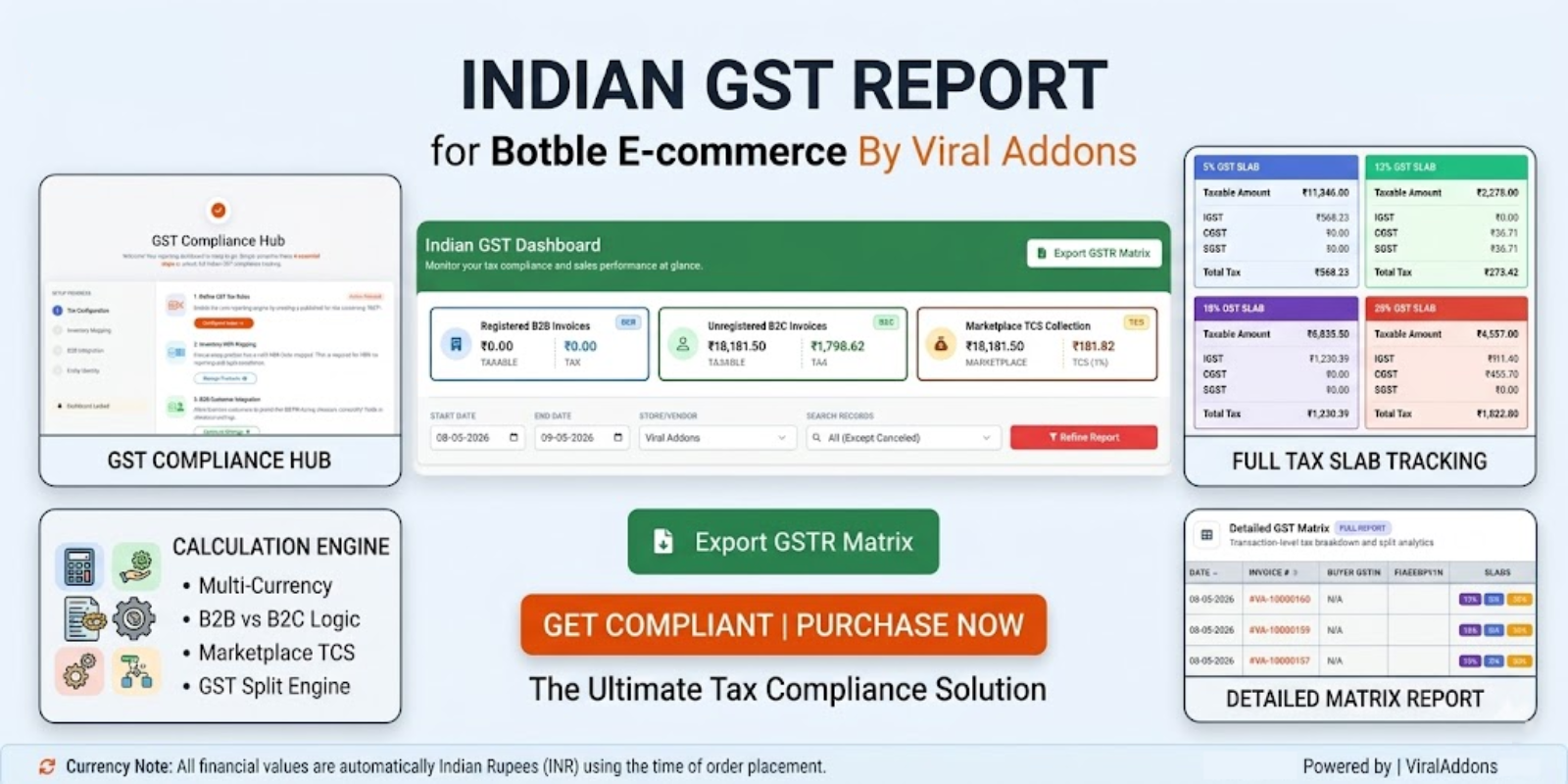
Indian GST Report For Botble Ecommerce
Key Highlights
- Easy Installation
- Premium Support
- Lifetime Updates
- High Performance
Product Overview
Table of Contents
Indian GST Report For Botble Ecommerce By Viral Addons
A powerful, compliance-focused GST reporting dashboard designed for the Indian market. This plugin provides a comprehensive view of sales, taxes, and slabs with full support for multi-vendor marketplaces and multi-currency transactions.
Key Features
- Automated GST Slabs: Also automatically categorizes sales into 0%, 3%, 5%, 12%, 18%, 28%, etc. slabs with unique color coding.
- B2B & B2C Isolation: Intelligently identifies B2B sales using GSTIN data from the tax information on the checkout page. If the customer has a GSTIN, it is a B2B sale. Otherwise, it is a B2C sale.
- Multi-Vendor Support: Seamlessly filters reports by Admin Store or specific Marketplace Vendors. The dashboard automatically adapts to Single-Store environments (dynamically hiding Marketplace TCS metrics when deactivated).
- Smart HSN Extraction: Automatically pulls HSN codes from individual products or their parent records (for variations).
- Multi-Currency Normalization: All financial data is automatically converted to Indian Rupees (INR) using the exchange rate at the time of order placement.
- Interactive Dashboard:
- Sticky Filters: Filtering controls stay in view while scrolling through large datasets.
- Dynamic Sorting: Sort records by Date or Invoice # with a single click.
- Report Types: Toggle between Invoice-level and Product-level detailed reports.
- Excel/CSV Export: One-click export of the entire GSTR matrix for accounting and filing.
HSN Lookup Logic
- Checks product metadata for hsn_code or hsn.
- If the product is a variation and has no HSN, it automatically falls back to the Parent Product's HSN code.
GST Split Engine
Tax is intelligently split into CGST/SGST for intra-state transactions or IGST for inter-state transactions. The engine compares the Vendor's Business State (set in Store Settings) with the Buyer's Shipping State (from the order address) to determine the correct split automatically.
Intra-State Transaction (Same State)
When the seller and buyer are in the same state, GST is split equally into two parts:
| Tax Component | Full Form | Who Receives | Amount (on 5% GST) |
|---|---|---|---|
| CGST | Central Goods & Services Tax | Central Government | 2.5% |
| SGST | State Goods & Services Tax | Buyer's State Government | 2.5% |
| Total | 5% |
Example:
- Vendor State:
Maharashtra (MH) - Customer State:
Maharashtra (MH) - Result: CGST 2.5% + SGST 2.5% (Total = 5%)
✈️ Inter-State Transaction (Different States)
When the seller and buyer are in different states, the entire GST is charged as a single IGST which is collected by the Central Government and later distributed:
| Tax Component | Full Form | Who Receives | Amount (on 5% GST) |
|---|---|---|---|
| IGST | Integrated Goods & Services Tax | Central Govt (distributes to states) | 5% |
| Total | 5% |
Example:
- Vendor State:
Maharashtra (MH) - Customer State:
West Bengal (WB) - Result: IGST 5% (Total = 5%)
Quick Reference Table
| Vendor State | Customer State | GST Type | Split |
|---|---|---|---|
| Maharashtra | Maharashtra | Intra-state | CGST 2.5% + SGST 2.5% |
| Maharashtra | Delhi | Inter-state | IGST 5% |
| West Bengal | West Bengal | Intra-state | CGST 2.5% + SGST 2.5% |
| West Bengal | Gujarat | Inter-state | IGST 5% |
| Karnataka | Karnataka | Intra-state | CGST 9% + SGST 9% |
| Karnataka | Tamil Nadu | Inter-state | IGST 18% |
Note: The total GST amount is always the same regardless of type. Only the distribution between Central and State Governments changes.
TCS for Marketplace Vendors
- TCS (Tax Collected at Source): 1% is automatically calculated on all marketplace vendor sales.
- This is a legal obligation of the Marketplace Operator (Admin) under Section 52 of the CGST Act, regardless of the vendor's GST registration status.
Handling Vendors Without GSTIN
In a marketplace environment, if a vendor has not provided their GSTIN:
- Report Integrity: The dashboard will still capture and display the sales data based on the actual tax charged during checkout.
- TCS Collection: The system continues to calculate the 1% TCS for all marketplace sales, as the Marketplace Operator (Admin) is legally required to deduct this regardless of the vendor's registration status.
- B2B Identification: The classification of B2B vs B2C remains dependent on the Buyer's GSTIN data.
- Compliance Note: While the report displays all collected taxes, it is recommended that vendors provide their GSTIN to ensure tax invoices are legally compliant.
- Legal Compliance: Legally, if a vendor does not possess a GSTIN, they are not authorized to collect tax. If your system charges tax on sales from such vendors, the report will display it; however, during CA filing, these transactions will be classified as "Unregistered Dealer" sales.
Installation
- Upload the plugin to
platform/plugins/indian-gst-report. - Go to Admin > Plugins and activate "Indian GST Report".
- Complete the 4 Essential Configuration Steps:
- Tax Configuration: Create a published tax rule containing "GST" in its title (e.g., "18% GST").
- Inventory Mapping: Ensure all products (including variations) have a valid HSN Code mapped.
- B2B Integration: Enable "Tax Information" fields in Ecommerce > Settings > Checkout.
- Entity Identity: Confirm your own business GSTIN is updated in Ecommerce > Settings > General.
Usage
- Navigate to Ecommerce > Indian GST Reports.
- Filters: Select your date range, store, and order type (B2B/B2C).
- Toggle View: Use the "Invoice" or "Product" buttons to change the level of detail.
- Export: Click "Export GSTR Matrix" to download data for your CA or GST filing.
Technical Summary
- Module Namespace:
ViralAddons\IndianGstReport - Version: 1.0.0
- Minimum Requirements: PHP 8.1+, Botble E-commerce Core.
- Optional: Botble Marketplace Plugin.
Developed with ❤️ by ViralAddons.
Support the Author
If you find this product helpful, consider supporting the developer.
Scan QR Code

Frequently Asked Questions
Recommended Plugins
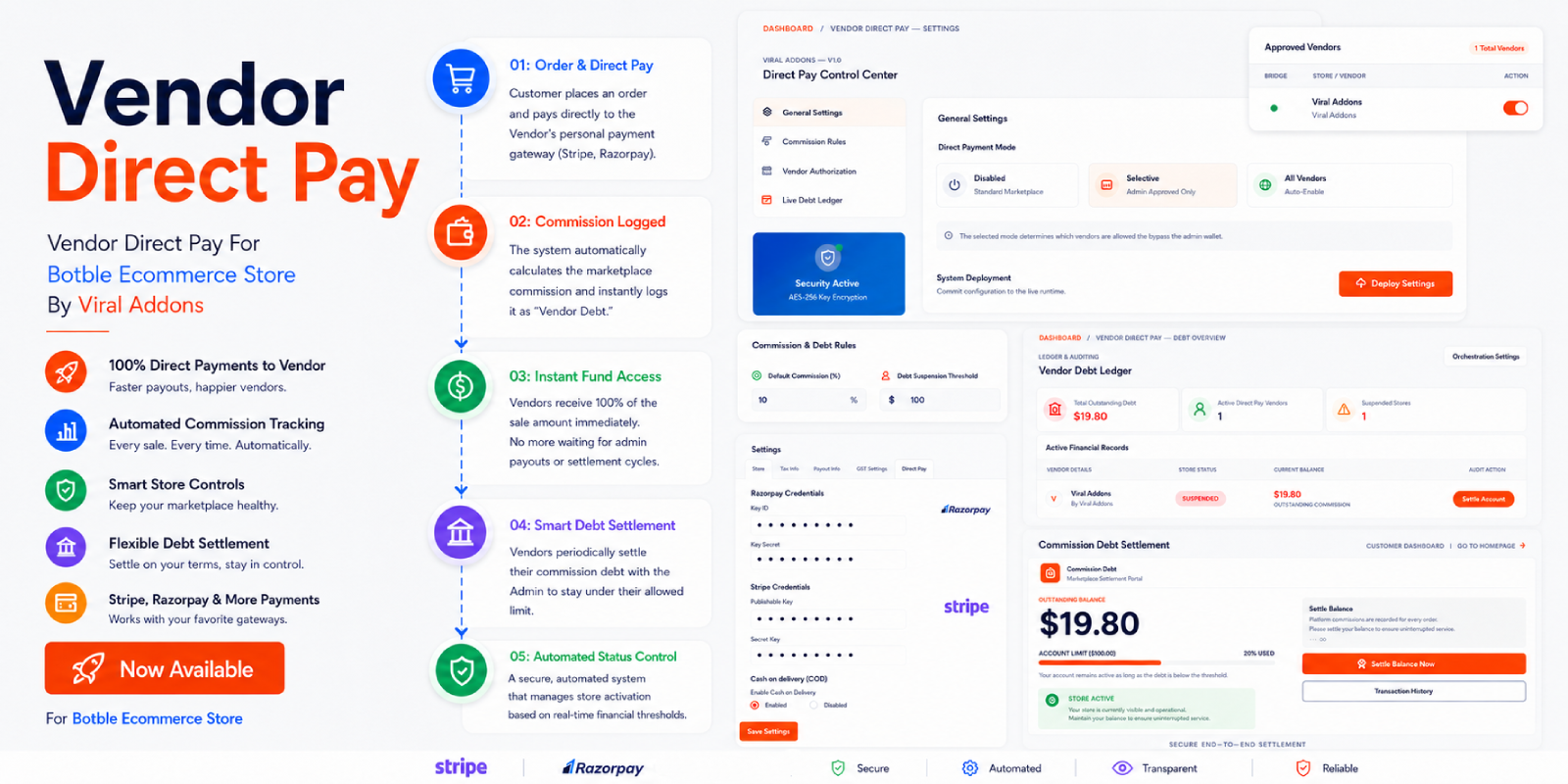
Vendor Direct Pay For Botble Ecommerce Store
Vendor Direct Pay For Botble Ecommerce Store By Viral Addons This plugin provides a robust, bi-directional payment and debt management system for Botb...

Advanced Shiprocket Integration for Botble Marketplace
Advanced Shiprocket Integration for Botble Maketplace By Viral Addons Advanced Shiprocket Integration for Botble Marketplace By Viral Addons plugin in...

Instagram Feed For Botble CMS
📸 Instagram Feed for Botble CMS By Viral Addons Display your Instagram content beautifully on your Botble website. Fully responsive, customizable, an...